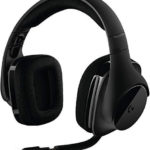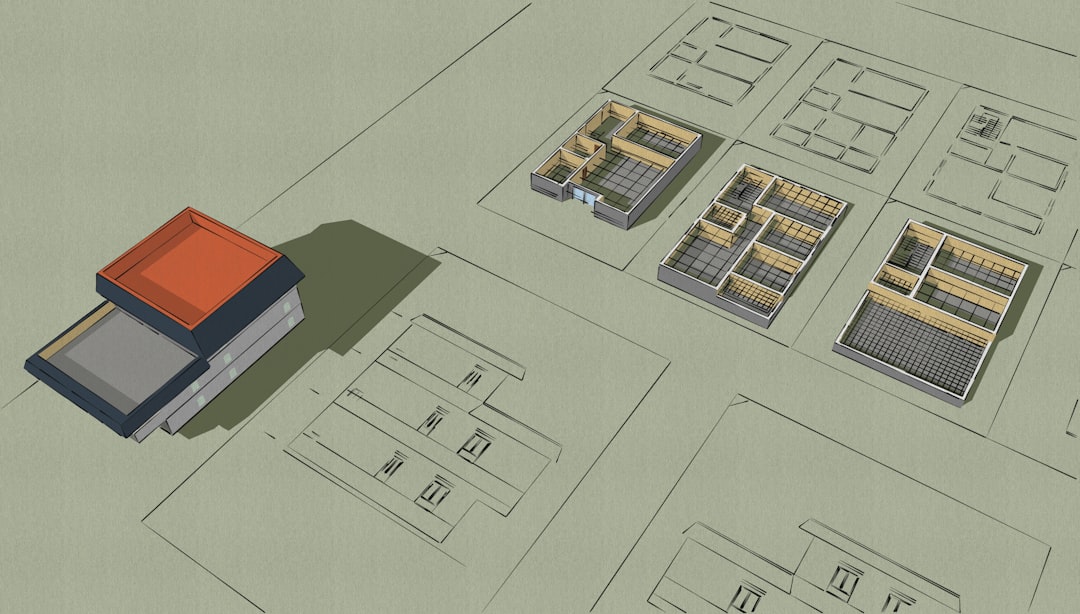
Architecture is no longer just about paper sketches and tiny cardboard models. Today, you can walk through a building before it exists. You can see how sunlight hits the walls. You can stand in the kitchen. You can even move furniture around with a headset on. This is the power of AR (Augmented Reality) and VR (Virtual Reality) in architecture.
TLDR: AR and VR tools help architects and clients step inside unbuilt designs. They make presentations clearer, faster, and more exciting. Tools like Enscape, Twinmotion, IrisVR, Fuzor, and SketchUp Viewer lead the way. Each offers unique features, pricing styles, and levels of realism.
Let’s explore five architecture tools and apps that are changing how buildings are designed and experienced.
1. Enscape
Enscape is one of the most popular real-time rendering and VR tools for architects. It integrates directly with software like Revit, SketchUp, Rhino, Archicad, and Vectorworks.
What makes it special? Simplicity.
You click a button. Your 3D model becomes a full 3D experience. You can instantly switch into VR mode and walk through your project.
- Real-time rendering
- One-click VR integration
- Works with major design software
- High-quality lighting simulation
Enscape is great during the design process. You can make a change in Revit. It appears instantly in your VR view. This saves time. It also helps avoid mistakes early.
Clients love Enscape presentations. Instead of looking at flat floor plans, they can step inside their future home or office. They understand scale better. They spot issues early. Everyone feels more confident.
Best for: Architects who want fast, high-quality VR without complicated setup.
2. Twinmotion
Twinmotion, powered by Epic Games, is known for stunning visuals. It uses Unreal Engine technology. That means powerful graphics and smooth experiences.
Twinmotion focuses heavily on realism. Trees move in the wind. Water reflects sunlight. People walk around naturally.
- Photorealistic rendering
- Large asset library
- VR support
- Real-world weather and lighting simulation
You can import models from Revit, SketchUp, Archicad, and more. The interface is visual and friendly. You drag and drop objects. You adjust the environment with sliders.
The VR mode lets clients explore freely. They can switch between daytime and nighttime instantly. This helps them understand how lighting affects their project.
Twinmotion is especially popular for large urban projects. Landscapes look amazing. Entire neighborhoods can be explored.
Best for: Architects who want cinematic, high-end visual presentations.
3. IrisVR (Prospect)
IrisVR, now known as Prospect by The Wild, focuses fully on VR collaboration. It turns BIM models into multi-user VR experiences.
That means teams can meet inside the building model.
- Multi-user VR meetings
- BIM data integration
- Cloud sharing
- Markup and annotation tools
This is powerful for remote teams. An architect in New York. An engineer in London. A client in Dubai. All inside the same virtual building at the same time.
You can point at elements. Leave comments. Measure objects. Review technical details.
IrisVR is less about flashy visuals. It is more about communication and coordination. It shines during design reviews and clash detection meetings.
Best for: Large teams needing collaborative VR meetings and BIM-heavy workflows.
4. Fuzor
Fuzor is a powerful visualization and simulation tool made specifically for BIM projects. It combines VR, AR, and real-time rendering in one platform.
Fuzor is strong in construction simulation. You can visualize building phases over time. This makes it valuable beyond just design.
- 4D construction simulation
- Real-time rendering
- VR and AR compatibility
- Clash detection and analysis tools
You can use AR to overlay models on physical spaces. This is useful on construction sites. Teams can see how systems fit before installing them.
Fuzor is detailed. Very detailed. It helps reduce costly mistakes. Contractors appreciate being able to walk the sequence before construction begins.
Best for: Projects where construction sequencing and BIM coordination are critical.
5. SketchUp Viewer (AR/VR)
SketchUp Viewer is simple and accessible. It works with VR headsets and AR-capable mobile devices.
If your office already uses SketchUp, this is an easy step forward.
- Mobile AR viewing
- VR model walkthroughs
- Cloud model access
- User-friendly interface
The AR feature is especially fun. You can place a scaled 3D model of a building on a table. Or at full scale on a real site. Walk around it. Show clients how it fits in context.
It is less advanced than Fuzor or Enscape for rendering. But it is fast and accessible. That makes it perfect for early-stage design discussions.
Best for: Small firms, conceptual projects, and quick client demos.
Quick Comparison Chart
| Tool | Best For | VR Support | AR Support | Collaboration | Rendering Quality |
|---|---|---|---|---|---|
| Enscape | Real-time design workflow | Yes | Limited | Basic sharing | High |
| Twinmotion | Photorealistic presentations | Yes | No | Limited | Very High |
| IrisVR (Prospect) | Team collaboration | Yes (Multi-user) | No | Advanced | Moderate |
| Fuzor | BIM and construction simulation | Yes | Yes | Strong BIM tools | High |
| SketchUp Viewer | Concept and mobile presentations | Yes | Yes (Mobile) | Basic | Moderate |
Why AR and VR Matter in Architecture
Let’s step back for a moment.
Why do these tools matter so much?
Because architecture is hard to imagine.
Many clients cannot read drawings easily. Floor plans look confusing. Scales are unclear. Spaces feel abstract.
AR and VR remove that confusion.
- Better client understanding
- Faster approvals
- Fewer design mistakes
- Improved team coordination
When clients walk through a space virtually, they react honestly. “This hallway feels tight.” “The ceiling feels low.” These insights come early. Changes are cheaper early.
VR also builds excitement. It turns a presentation into an experience. That emotional response can make a huge difference in winning projects.
How to Choose the Right Tool
Not every firm needs everything.
Ask yourself:
- Do you focus on small residential homes?
- Do you work on large commercial buildings?
- Do you coordinate with complex engineering teams?
- Do you need heavy BIM integration?
If you want speed and simplicity, choose Enscape.
If visuals are your priority, choose Twinmotion.
If teamwork is key, choose IrisVR.
If construction sequencing matters most, choose Fuzor.
If accessibility and mobility are important, choose SketchUp Viewer.
You can also combine tools. Many firms do.
The Future of AR and VR in Architecture
This technology is evolving fast.
Headsets are getting lighter. Graphics are getting sharper. AR glasses are becoming more practical.
In the future, clients might walk into an empty lot wearing AR glasses. They will see their future home at full scale. On location. In real time.
Contractors might see plumbing paths through walls before cutting into them.
City planners might explore entire districts in immersive digital twins.
The line between digital and physical space will blur.
Final Thoughts
Architecture has always been about vision. Now that vision is immersive.
AR and VR tools help turn ideas into experiences. They make complex designs easy to understand. They reduce mistakes. They improve collaboration.
And they make presentations more fun.
Whether you are a small studio or a global firm, there is a tool that fits your workflow. The key is to start experimenting. Try a demo. Walk inside your next project before it is built.
You might never want to go back to flat drawings again.