Modern frontend development moves fast, but even the most well-structured applications encounter unexpected bugs, performance bottlenecks, and rendering glitches. As JavaScript frameworks grow more sophisticated and user interfaces become increasingly dynamic, developers rely heavily on browser-based tools to inspect, debug, and optimize their work in real time. While built-in browser DevTools provide a strong foundation, specialized extensions can dramatically enhance visibility and control over frontend behavior.
TLDR: Browser DevTools extensions significantly improve the way frontend developers debug and optimize applications. Tools like React Developer Tools, Vue Devtools, Redux DevTools, and Lighthouse provide deeper insights into component hierarchies, state management, and performance metrics. These extensions streamline troubleshooting, accelerate bug fixes, and reveal optimization opportunities that built-in tools alone may miss. For modern frontend workflows, they are essential companions.
Below are four highly effective browser DevTools extensions widely used for debugging frontend applications.
1. React Developer Tools
For teams building interfaces with React, React Developer Tools is indispensable. This extension integrates seamlessly into Chrome and Firefox DevTools, adding dedicated panels for inspecting React components and their state.
Image not found in postmetaReact’s component-driven architecture makes applications modular but can also make debugging more layered. React Developer Tools simplifies that complexity by:
- Displaying the component hierarchy in a clear tree structure.
- Allowing developers to inspect props and state in real time.
- Highlighting component re-renders to diagnose unnecessary updates.
- Editing state and props during runtime for rapid experimentation.
One of its most powerful features is the Profiler, which records rendering performance and identifies slow components. By analyzing commit times and render durations, developers can pinpoint inefficient logic or unnecessary renders.
In large-scale applications where hundreds of components interact, manually tracing state flow can be overwhelming. React Developer Tools gives teams a visual and interactive way to understand those relationships, significantly reducing debugging time.
2. Vue Devtools
Much like its React counterpart, Vue Devtools is tailored to applications built with Vue.js. Vue’s reactivity system is elegant but can sometimes produce unexpected UI updates when data bindings behave unpredictably.
Vue Devtools enhances debugging by offering:
- A structured view of the component tree.
- Direct inspection of reactive data, computed properties, and props.
- Visibility into Vuex state management.
- Event tracking for emitted component events.
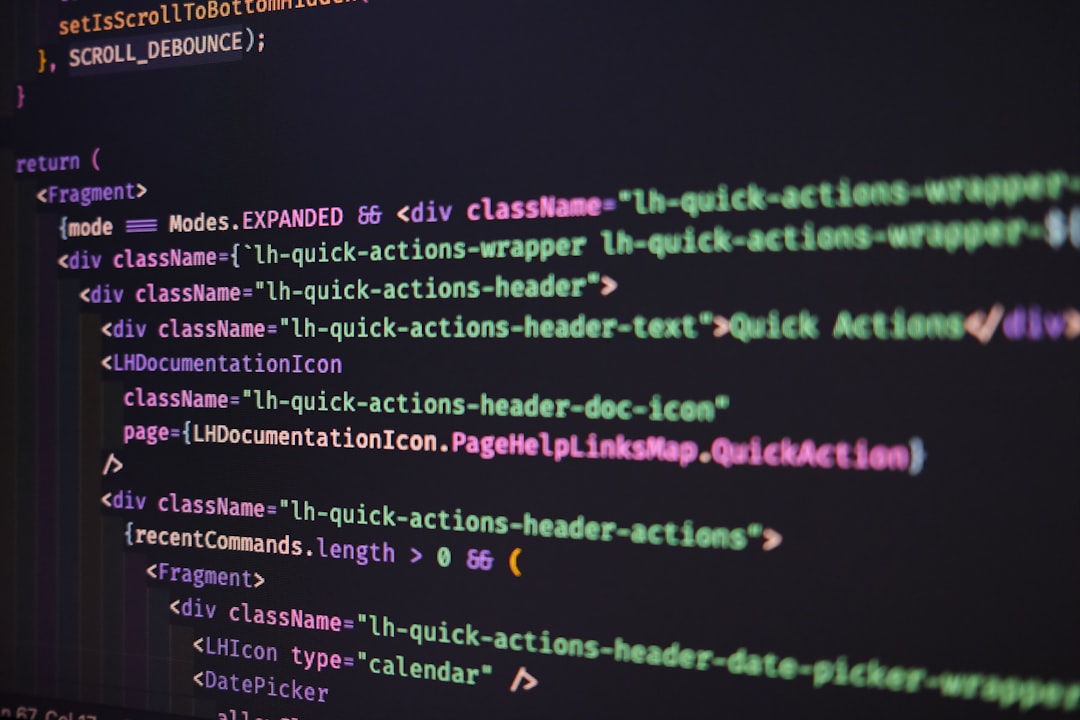
Developers can modify component data live and instantly see changes reflected in the interface. This real-time experimentation removes the need for repetitive code edits and refresh cycles.
One standout capability is time-travel debugging when used with Vuex. This allows developers to step back and forth through state mutations to understand exactly when and how the application entered an incorrect state. For complex applications with layered state logic, this feature dramatically improves traceability.
3. Redux DevTools
Applications that use Redux for state management benefit enormously from Redux DevTools. Redux centralizes state logic, which improves predictability but introduces its own debugging challenges as the number of actions increases.
Redux DevTools delivers a detailed view of:
- Every dispatched action.
- The payload associated with each action.
- The resulting state changes.
- Side-by-side comparisons of previous and next state.
Its most celebrated feature is time-travel debugging. Developers can navigate through the full history of dispatched actions and roll the application state backward or forward instantly. This creates a reproducible debugging experience that eliminates guesswork.
Redux DevTools also allows action replay and state export. When a bug is difficult to replicate, developers can serialize the action history and share it with teammates for collaborative debugging. In distributed development environments, this dramatically improves communication and troubleshooting efficiency.
For teams focused on predictable state management and maintainable architecture, Redux DevTools turns complex state transitions into an understandable timeline.
4. Lighthouse
While the previous tools focus heavily on structure and state, Lighthouse emphasizes performance, accessibility, and best practices. Built into Chrome but also available as an extension, Lighthouse audits web pages and generates detailed reports.
Frontend debugging does not stop at fixing broken components; performance issues can be just as damaging to user experience. Lighthouse evaluates:
- Performance metrics such as Largest Contentful Paint and Time to Interactive.
- Accessibility compliance based on recognized standards.
- SEO best practices.
- Progressive Web App readiness.
After running an audit, Lighthouse provides actionable recommendations, often with step-by-step guidance for improvement. It not only identifies issues but explains why they matter.
For frontend developers, Lighthouse serves as both a debugging assistant and an optimization advisor. It can surface hidden problems such as render-blocking resources, inefficient image loading, unused JavaScript, or inadequate color contrast.
By combining structural inspection tools like React and Vue Devtools with performance-focused analysis from Lighthouse, developers gain a holistic debugging workflow.
Why DevTools Extensions Matter
Modern frontend applications rely on layered architectures, dynamic state flows, and asynchronous data fetching. Traditional debugging methods such as console logs and breakpoints remain useful, but they fall short when visualizing complex component trees or tracking state mutations across time.
DevTools extensions provide context. They translate raw application logic into structured, visual data that mirrors how frameworks actually operate.
Key advantages include:
- Real-time state manipulation for faster experimentation.
- Clear component hierarchies for structural insight.
- Time-travel debugging for reliable reproduction of issues.
- Action logs and state diffs for transparency.
- Performance audits for measurable optimization.
These tools do more than fix bugs. They encourage better architectural decisions, highlight inefficiencies early, and support data-driven optimizations before code reaches production.
Choosing the Right Extension
Each extension serves a specific purpose, and the right combination depends on the project stack.
- For React-based applications, React Developer Tools is essential.
- For Vue projects, Vue Devtools is equally critical.
- If state management relies on Redux, Redux DevTools is non-negotiable.
- For performance auditing and accessibility checks, Lighthouse should always be part of the workflow.
In many real-world projects, developers use multiple extensions in tandem. For example, a React application using Redux might combine React Developer Tools with Redux DevTools and Lighthouse to cover component behavior, state timelines, and performance benchmarks.
Ultimately, debugging frontend applications is no longer about inspecting isolated code snippets. It is about understanding systems in motion — components rendering, states mutating, data flowing, and users interacting. DevTools extensions make these invisible processes visible.
Conclusion
As frontend ecosystems evolve, debugging strategies must evolve with them. Browser DevTools extensions bridge the gap between abstract application logic and practical troubleshooting. React Developer Tools and Vue Devtools provide component-level insight. Redux DevTools clarifies state transitions through time-travel debugging. Lighthouse ensures that performance and accessibility remain front and center.
Together, these tools transform browsers into powerful diagnostic environments. Instead of reacting to bugs after users encounter them, developers can proactively monitor, analyze, and refine their applications. In modern frontend development, these extensions are not just helpful add-ons — they are essential instruments for building reliable, high-performing user interfaces.
FAQ
-
1. Are these DevTools extensions free to use?
Yes. React Developer Tools, Vue Devtools, Redux DevTools, and Lighthouse are free and widely available for major browsers like Chrome and Firefox. -
2. Do these extensions slow down browser performance?
When actively profiling large applications, some performance overhead may occur. However, during normal inspection, the impact is minimal and generally negligible for development environments. -
3. Can these tools be used in production environments?
They are primarily designed for development and debugging. While they can inspect live applications, sensitive production state data should be handled carefully. -
4. Is Lighthouse only for performance testing?
No. Lighthouse also evaluates accessibility, SEO, Progressive Web App criteria, and general best practices, making it a comprehensive auditing tool. -
5. What if a project uses multiple frameworks?
Developers can install multiple extensions simultaneously. Each extension becomes active only when it detects its corresponding framework within the application. -
6. Are built-in browser DevTools still necessary?
Absolutely. Extensions enhance visibility into framework-specific logic, but built-in tools like the Console, Network panel, and Elements inspector remain fundamental.


