MangaReader is a go-to destination for thousands of manga fans who want quick, free access to their favorite series. But when the site refuses to load, shows a blank page, or keeps buffering endlessly, frustration builds fast. Whether it is a server problem, a browser glitch, or a regional restriction, the issue can usually be resolved with a few straightforward troubleshooting steps. Understanding what causes MangaReader to stop working is the key to getting back to reading without wasting time.
TLDR: If MangaReader is not loading, the issue is often related to server downtime, browser cache problems, ad blockers, DNS errors, or regional restrictions. Start by refreshing the page, clearing your cache, or trying a different browser or device. If the problem persists, check whether the site is down globally or blocked in your region. Most issues can be solved in minutes with simple troubleshooting steps.
Why MangaReader Might Not Be Loading
Before attempting a fix, it helps to understand what might be happening behind the scenes. Websites rely on servers, browsers, internet service providers, and sometimes third-party scripts. If any one of these components fails, the site may not function correctly.
Here are the most common reasons MangaReader may not load:
- Server downtime: The website’s server may be temporarily offline.
- Internet connectivity problems: Slow or unstable connections can prevent pages from loading fully.
- Browser cache corruption: Stored files may conflict with updated website data.
- Ad blocker interference: Some extensions block essential website scripts.
- DNS issues: Domain Name System errors can prevent proper site routing.
- Regional restrictions: Access may be limited in certain countries.
- Device-related glitches: Outdated operating systems or overloaded memory can cause failures.
Identifying which category the issue falls into makes fixing it much easier.
Quick Fixes to Try First
When MangaReader refuses to load, users should begin with the simplest solutions. These steps resolve most problems within minutes.
1. Refresh the Page
Sometimes, a page fails to load due to a temporary connection hiccup. Pressing Ctrl + R (or Command + R on Mac) forces the browser to reload the page.
2. Check Internet Connection
If other websites are also slow or unresponsive, the issue likely lies with the internet connection. Restarting the router or switching from Wi-Fi to mobile data can resolve instability.
3. Try a Different Browser
Browsers occasionally develop compatibility issues. If MangaReader does not load in Chrome, trying Firefox, Edge, or Safari can quickly determine whether the problem is browser-specific.
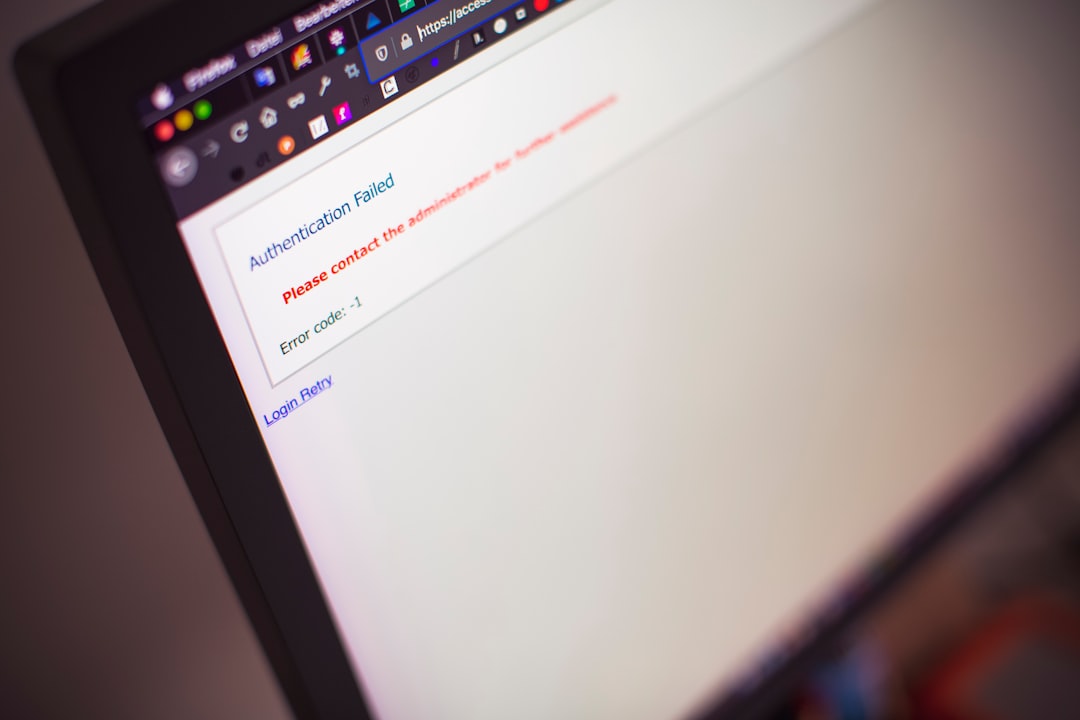
4. Clear Cache and Cookies
Browsers store cached files to speed up loading times. However, outdated cache files may prevent new site data from loading correctly.
To clear cache:
- Open browser settings.
- Navigate to Privacy or History.
- Select Clear browsing data.
- Choose Cached images and files.
- Confirm and restart the browser.
This step alone fixes a significant percentage of loading issues.
Check If MangaReader Is Down for Everyone
If basic troubleshooting does not work, the next step is to check whether MangaReader is down globally. Server outages can occur due to maintenance, heavy traffic, or technical failures.
Users can visit status-checking platforms to see real-time outage reports. If multiple people report the issue, the only solution may be to wait until the server is restored.
Websites that experience high traffic during popular manga chapter releases often crash temporarily. In these situations, patience is usually the only remedy.
Disable Extensions That May Interfere
Ad blockers and privacy extensions sometimes block scripts necessary for manga viewer functionality. While these tools are helpful for safety and browsing speed, they can occasionally break page elements.
To test this:
- Open the browser in Incognito or Private Mode.
- If MangaReader loads properly, an extension is likely the cause.
- Disable extensions one by one to identify the culprit.
Once identified, users can whitelist MangaReader so it loads correctly while keeping the extension enabled elsewhere.
Flush DNS Cache
DNS errors are less common but still possible. When DNS data becomes corrupted, the browser cannot properly locate website servers.
Flushing the DNS clears outdated IP address records and forces the system to retrieve updated ones.
On Windows:
- Open Command Prompt.
- Type ipconfig /flushdns.
- Press Enter.
On Mac:
- Open Terminal.
- Type sudo killall -HUP mDNSResponder.
- Press Enter.
This solution is especially helpful when the site loads on other devices but not on a specific computer.
Use a VPN for Regional Blocks
In certain regions, access to manga websites may be restricted. If MangaReader does not load while other sites function normally, geographical blocking could be the issue.
Using a reputable VPN allows users to connect through servers in different countries, bypassing regional restrictions. However, users should always ensure they comply with local laws and regulations.
A VPN may also help if internet service providers throttle specific types of traffic.
Try Accessing from Another Device
To rule out device-specific issues, users should try loading MangaReader from:
- A different smartphone
- A tablet
- A secondary laptop
- A friend’s device
If the site works elsewhere, the original device may require updates, browser resets, or software troubleshooting.
Update the Browser or Operating System
Outdated browsers may struggle with newer web technologies. Regular updates ensure compatibility and security improvements.
Users should check for:
- Pending browser updates
- Operating system updates
- Security patches
Keeping software up to date prevents many loading issues before they begin.
Reduce Heavy Background Usage
Sometimes, the issue is not MangaReader at all. If a device is running multiple applications or dozens of open tabs, memory usage may spike. This can cause pages to freeze or fail.
Closing unused programs and tabs often restores smooth browsing performance.
Be Aware of Mirror or Clone Sites
MangaReader has had various domain changes and mirror versions over time. If one domain fails to load, another official mirror might still function.
However, users should exercise caution. Clone sites can contain excessive pop-ups or malicious scripts. Always verify the authenticity of the domain before interacting with it extensively.
When to Simply Wait It Out
If none of the above steps work and outage reports confirm widespread downtime, waiting is often the only option. Server maintenance or unexpected technical difficulties usually resolve within hours.
Checking community forums or social media discussions can provide real-time updates about service restoration.
Preventive Tips for Future Access Issues
While outages are sometimes unavoidable, users can reduce recurring problems by:
- Clearing cache periodically
- Keeping browsers updated
- Using reliable internet connections
- Avoiding suspicious extensions
- Bookmarking official site URLs
Being proactive minimizes frustration during future reading sessions.
Conclusion
When MangaReader is not loading, the situation can feel urgent—especially during a cliffhanger chapter. Fortunately, most problems stem from manageable technical issues such as cached files, browser extensions, DNS conflicts, or temporary server downtime. By systematically following simple troubleshooting steps, users can usually identify and fix the issue within minutes.
Instead of immediately assuming the worst, a calm and methodical approach saves time. Whether the solution is as simple as refreshing the page or as advanced as flushing DNS or using a VPN, restoring access is often easier than it first appears.
Frequently Asked Questions (FAQ)
1. Why is MangaReader showing a blank white page?
A blank page usually indicates a script-loading problem. Clearing cache, disabling extensions, or refreshing the page often resolves this issue.
2. How can someone tell if MangaReader is down for everyone?
Users can check website status platforms or community forums to see if others are reporting similar problems. If many reports exist, it is likely a server outage.
3. Does an ad blocker stop MangaReader from loading?
Yes, some ad blockers can accidentally block necessary scripts. Disabling the ad blocker temporarily can confirm whether it is the cause.
4. Is it safe to use a VPN to access MangaReader?
Using a reputable VPN is generally safe, but users must ensure they follow local laws and choose trustworthy services.
5. Why does MangaReader load on mobile but not on desktop?
This usually points to a browser or extension issue on the desktop device. Clearing cache or updating the browser can help.
6. How long do MangaReader outages typically last?
Most outages are temporary and resolved within a few hours, though larger technical issues may take longer.
7. Can DNS settings really affect manga websites?
Yes. Incorrect or corrupted DNS records can block access to specific domains. Flushing DNS often fixes the problem.
8. What is the fastest way to fix loading problems?
Refreshing the page, checking internet connectivity, and clearing browser cache are typically the quickest and most effective solutions.